Blog

  • Good, bad and why not to get it – Long-term review of Xiaomi Redmi Smart Band Pro

    Good, bad and why not to get it – Long-term review of Xiaomi Redmi Smart Band Pro

    Editor’s Note: This review was too long in drafts and never finished, which is a sad reflection on a device that made me question for the first time in my life: was it a mistake to buy it when a newer version of a similar device was about to be just a few days later?

    So, after a year of usage on my left hand, it must be said: thank you for all your sports monitoring, sleep, and heart rate tracking, but you are now going to join the other battery-powered devices in storage.

    Yes, it’s time (no pun intended) to share my experiences and review the Redmi Smart Band Pro, one of Xiaomi’s smart band models released in late 2021 in India and globally in early 2022. As someone who, at that time, already owned an older model of the Mi Band 5, while the version 6 was on its way and even version 7 was “coming soon™,” I felt it was time to upgrade to a bigger screen.

    To briefly summarize the specifications of the Redmi Smart Band Pro: it features a 1.47-inch AMOLED screen with excellent SPo2 and blood pressure sensors, a solid 200mAh battery, and all the other shenanigans most devices of the same caliber already had. For more details, always refer to Xiaomi’s product website, but for now, let’s start with the review.
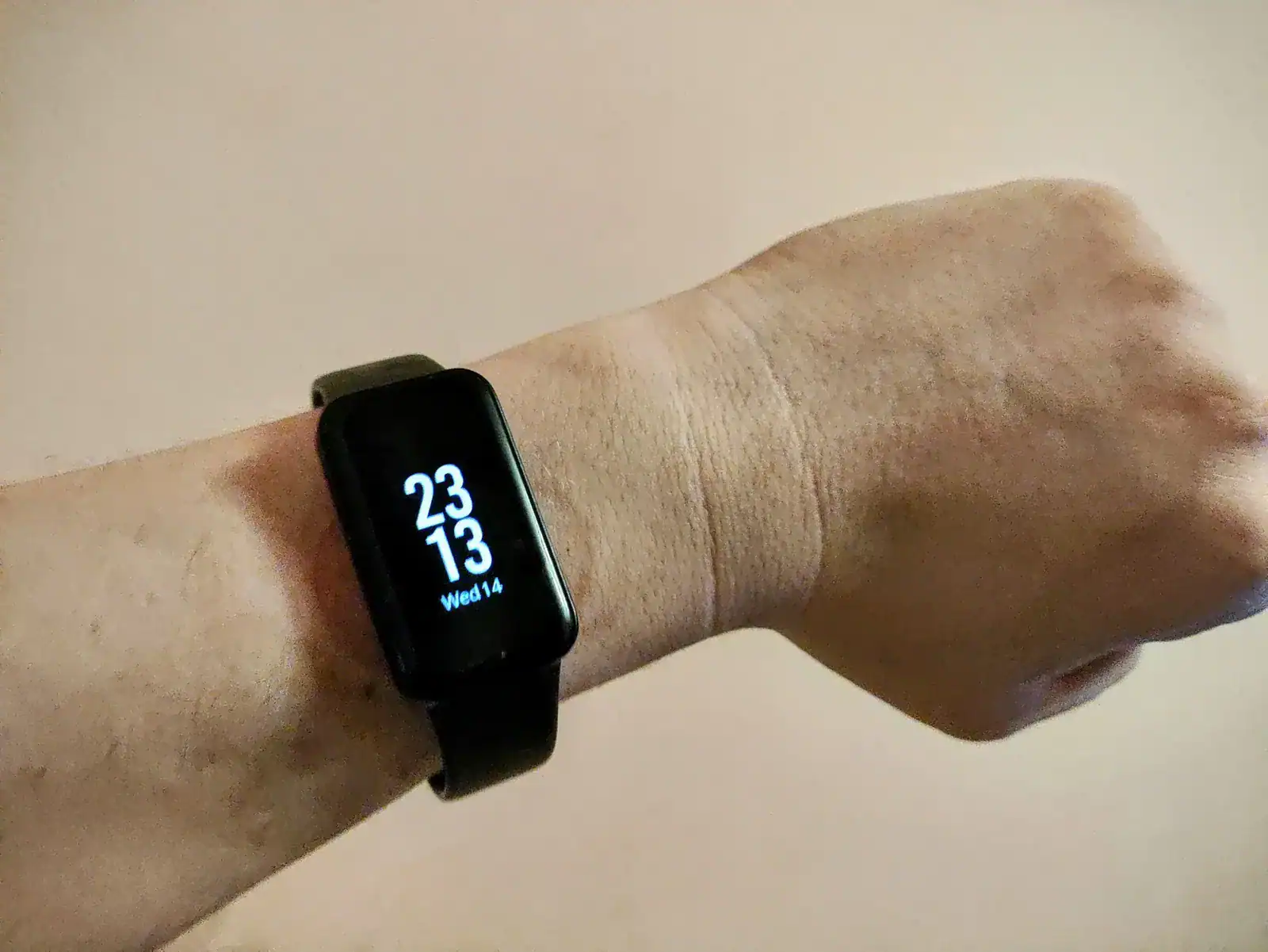

    Xiaomi Redmi Smart Band Pro with enabled AoD
    Xiaomi Redmi Smart Band Pro with enabled AoD

    When I purchased this smart band, it was on sale for about 30 Euros (to note, back then Croatia still used our Kuna, so it was more like 240 Croatian Kuna). It was a no-brainer—upgrading from the old to the new. At that time, I switched from the old Zepp Lite to the Mi Fitness application in preparation for this new smart band, as even the old Mi Band 5 worked great with it.

    Design-wise, it was perfect: the right size for my medium-sized wrist, not too heavy, and not too light—truly the best of both worlds. With the default strap size, it could be easily adjusted from smaller to larger sizes and even survived regular showers and a couple of swims in the sea.

    The battery life, combining the AMOLED screen with the Always-On-Display option for the clock, continuous heart rate, and sleep monitoring, was decent. Most of the time, it lasted up to 8 days without charging, really. And the magnetic charging was fast enough that I could take a 10-minute shower, and the smart band would charge from less than 15% battery to at least 45%, giving me at least one or two more days of heavier usage with sports tracking and a bunch of WhatsApp notifications.

    Now, after all the good has been said about this timepiece and sports tracker, it is time (again, no pun intended) to address the shortcomings.

    Let me start with one major issue that became obvious later on: the lack of official and unofficial support for replacement bands and even watch faces. Yes, you heard me right. A not-so-great-selling device didn’t have good support even from its main brand, which is not shocking at all. One glaring example is having only 6 watch faces within the Mi Fitness application, and the only app that might have provided alternatives to the official application was a hoax and didn’t offer any alternative watch faces.

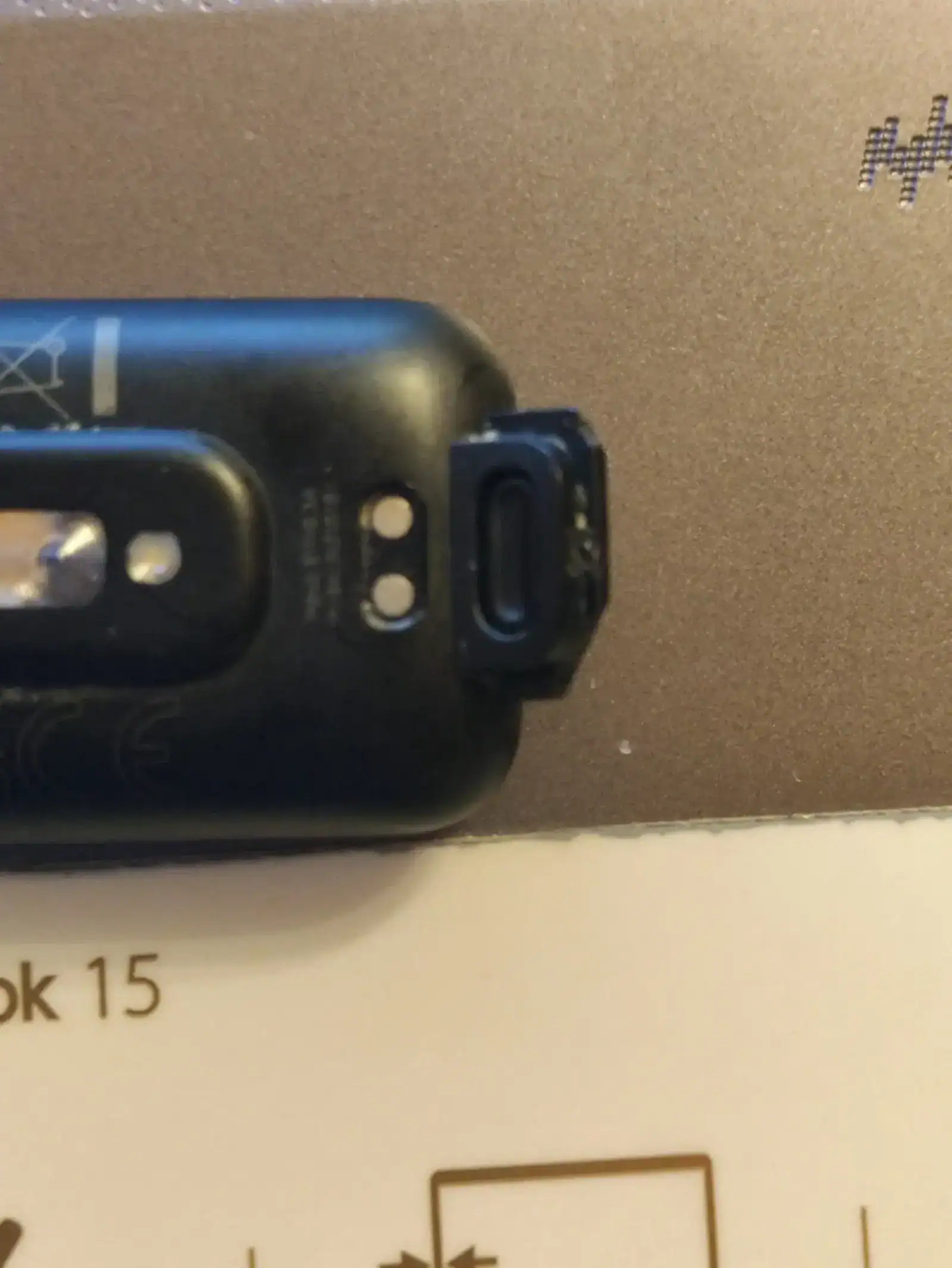
    Another annoying aspect was the alternative watch bands and the methods of attaching them to the smart band, which were appalling. The plastic clips on my watch broke on one side of the band. I could overlook this for replacement bands, as within the first 4 months, I had to buy a new one when the short part of the strap broke. Thankfully, there was an official replacement strap available in just one webshop, which helped until even the replacement had the same issue. After that, I had to keep the smart band a bit looser on my hand just to avoid breaking this second alternative strap. Indeed, I had to replace two straps within 6 months. Eventually, the plastic clip on the band side broke, and there wasn’t a great connection, which was temporarily fixed with a bit of hot glue. This makeshift solution worked until it too broke one night.
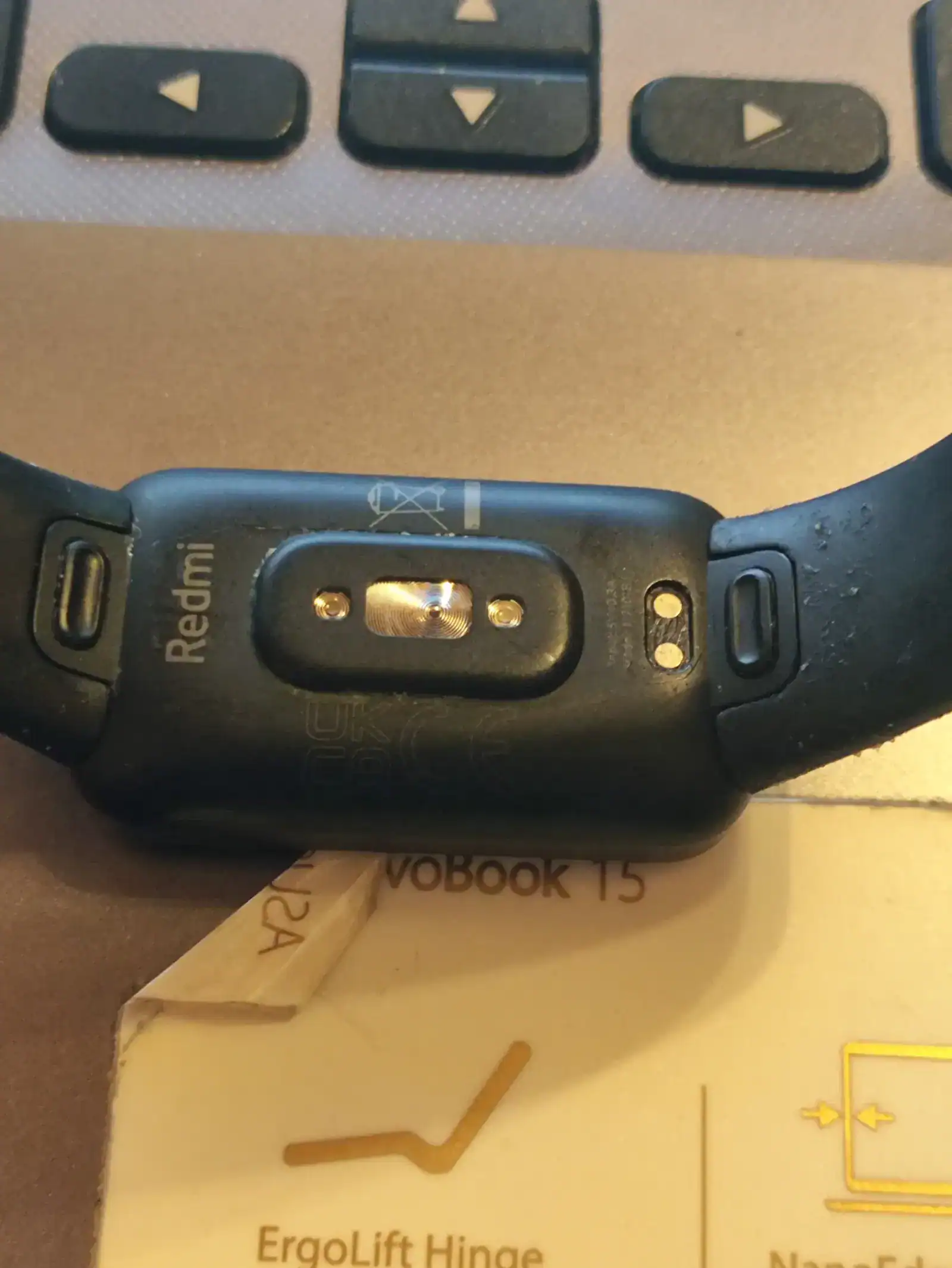
    Xiaomi's band method of connection to strap which can break easily
    Xiaomi’s band method of connection to strap which can break easily

    Xiaomi Redmi Band Pro broken band which even after fixing break again
    Xiaomi Redmi Band Pro broken band which even after fixing break again

    After 10 months of using the Xiaomi Smart Band Pro on my hand, I reverted back to the Mi Band 5 until, a few months later, I upgraded to the Amazfit GTS 3.

    In hindsight, this purchase was one of the poorer choices I’ve made with new devices. Thankfully, the Amazfit GTS 3 was a great buy, and I will review it after a year of usage.

    All photos of the Smart Band Pro were taken with the Xiaomi Poco F5. The text was proofread with ChatGPT 4.0.
  • Three years later – Real life and super long-term review of Xiaomi Redmi Note 9 Pro

    Three years later – Real life and super long-term review of Xiaomi Redmi Note 9 Pro

    Just to start off, it’s been three years already since I began using Xiaomi’s Redmi Note 9 Pro which was midrange smartphone at the time as my daily driver and primary device. It took me this long to compile a genuine long-term review, so here we go.

    As someone who has used phones from various brands, I must say I’m thoroughly impressed with this device. It has stood the test of my daily usage, making it one of the longest-lasting devices I’ve used to date. This might sound unusual, as I typically changed phones whenever my mobile provider contract was extended, averaging about two years per device.

    One important note to begin this review: this will be the final month of using this phone as my daily driver, as I’ll be switching to a new phone within the next month. You can expect a review of the new phone after a month of use.

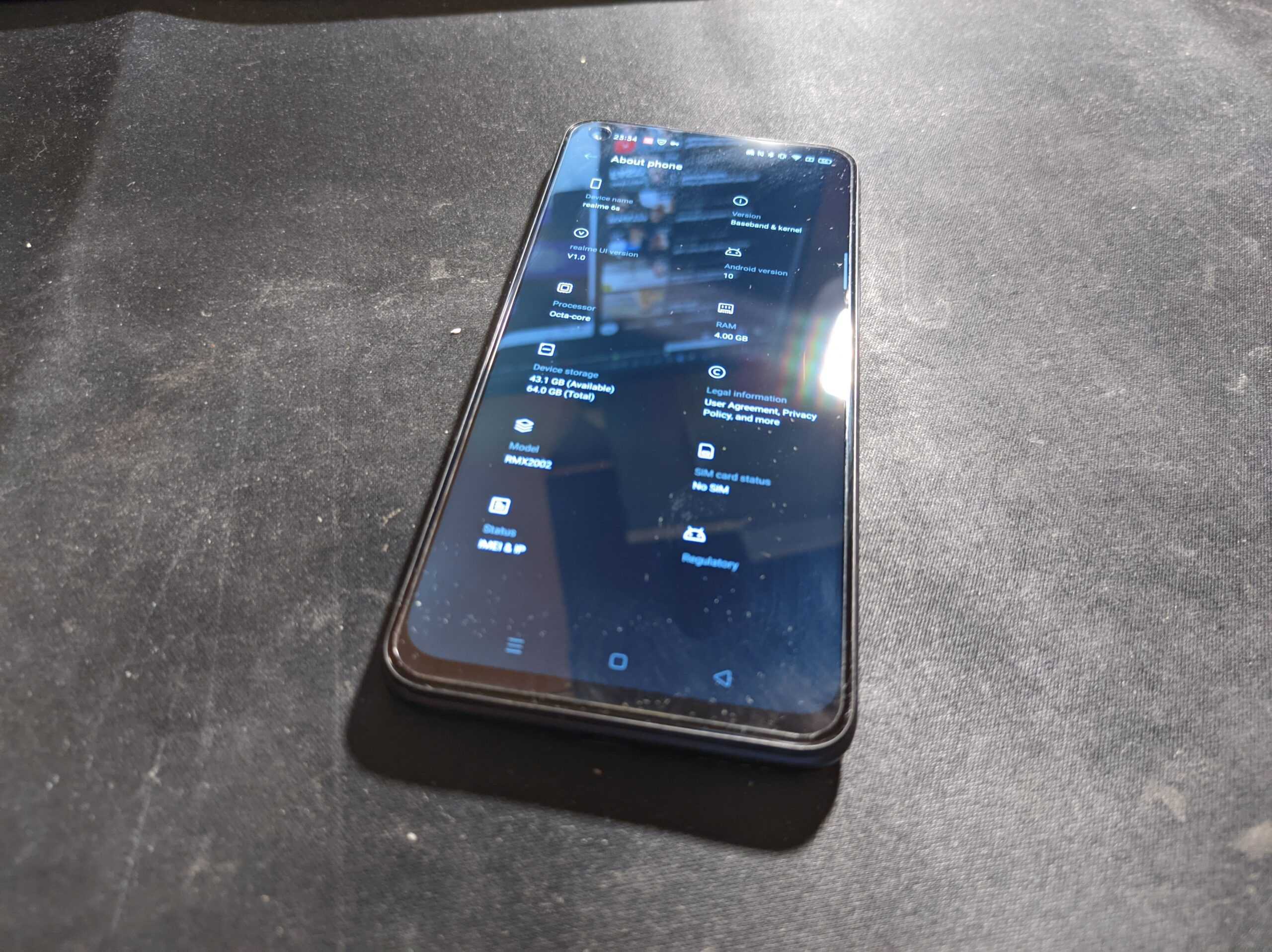
    Now, let me emphasize that the original review still holds true throughout the entire time I’ve been using this phone. I won’t dwell on specifications, as everything was already covered in the original review. While I was particularly impressed with certain specs, given that my previous phone was the Samsung Galaxy A7 (2018) and I briefly used an iPhone 6, I can now share a few thoughts on specifications, having also used the Realme 6s as my primary device for a short period.

    On the downside, the 60Hz display can be a bit frustrating, especially when I use the phone for various random reasons even today. Another drawback, from my perspective, was the limited 64GB of internal storage. Unfortunately, at the time in Croatia, it was hard to come by the 128GB model, and whenever I did find it, it was always in Tropical Green, not in the Interstellar Gray, which was my preferred color.

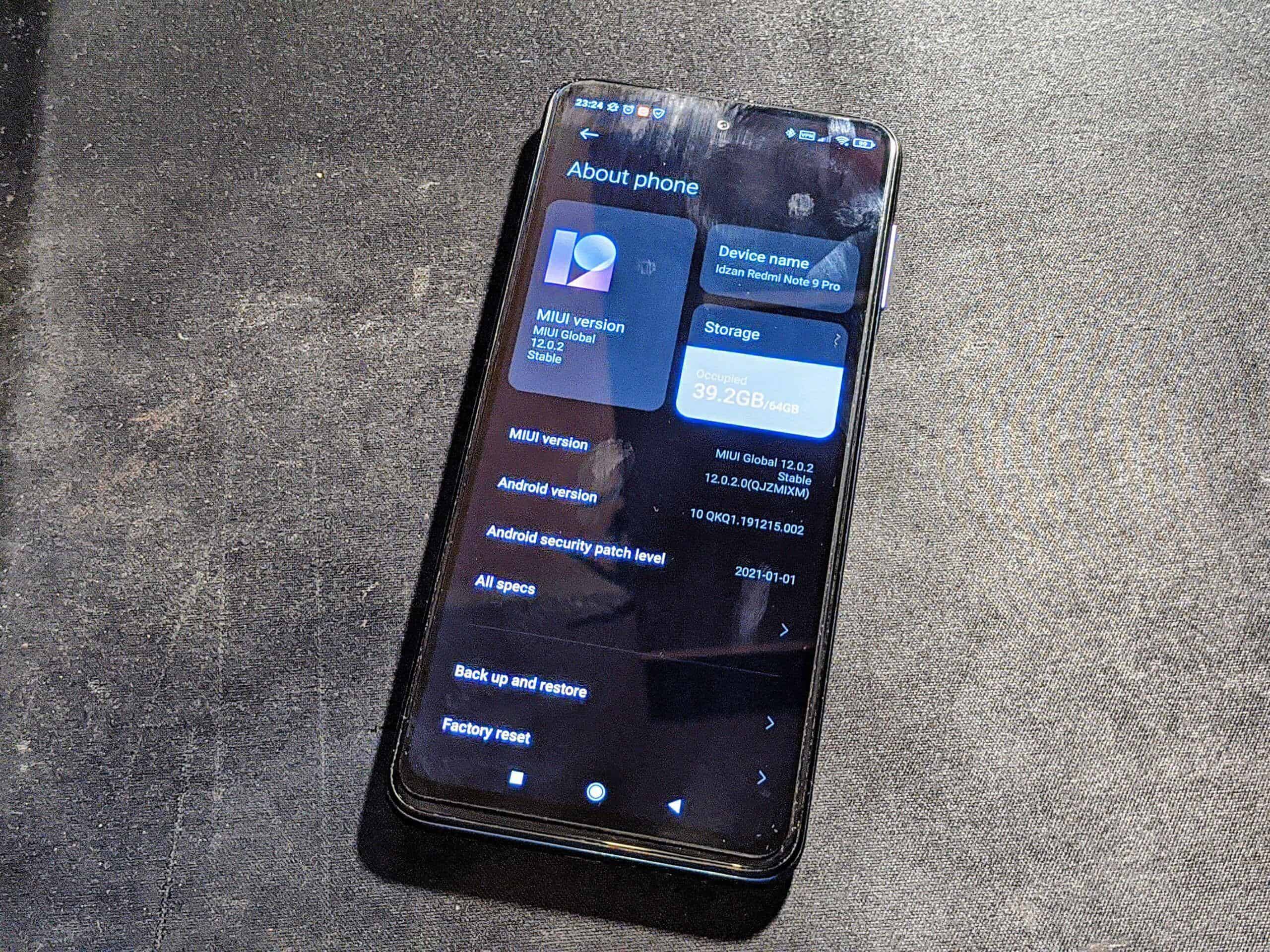
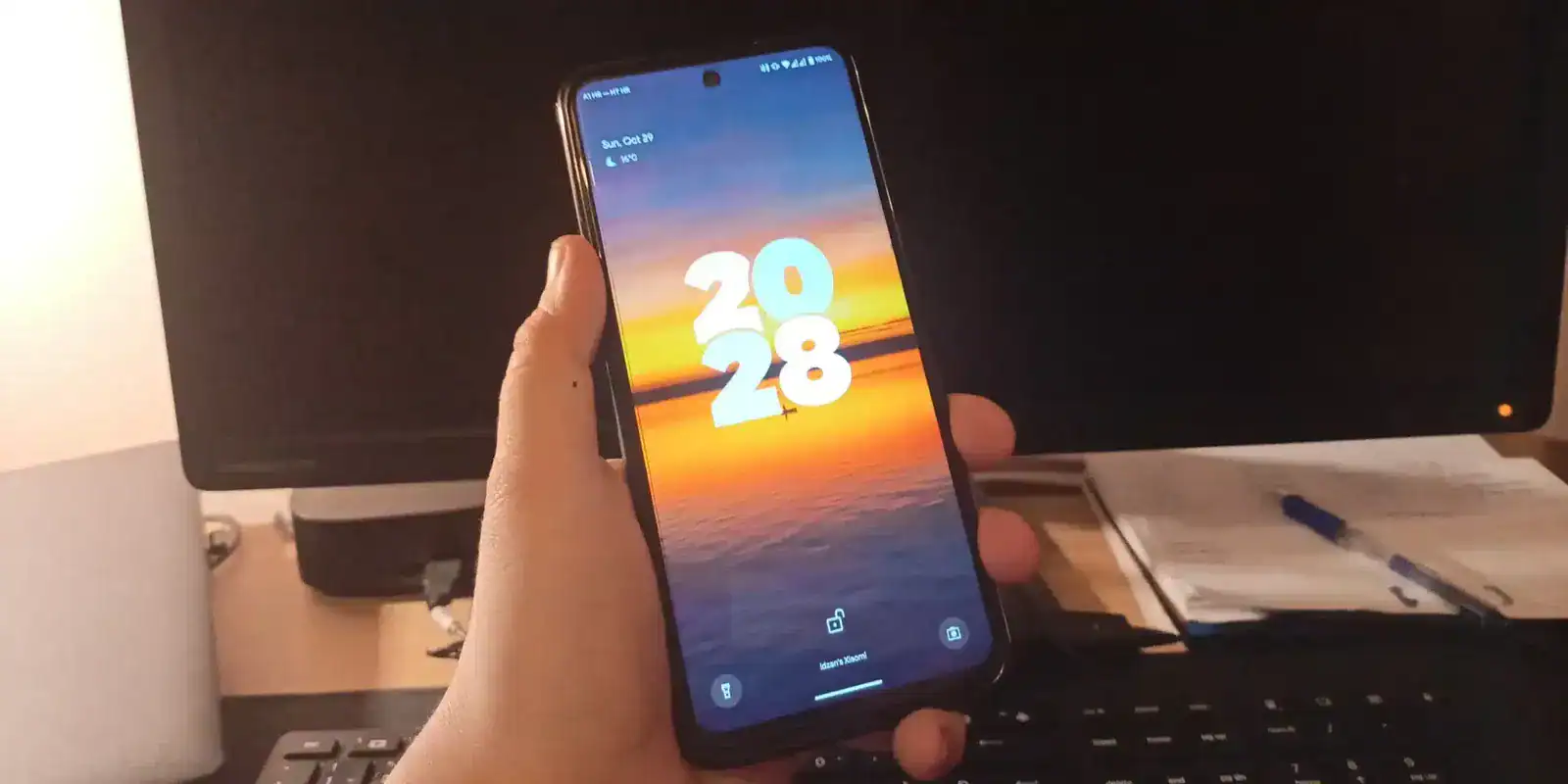
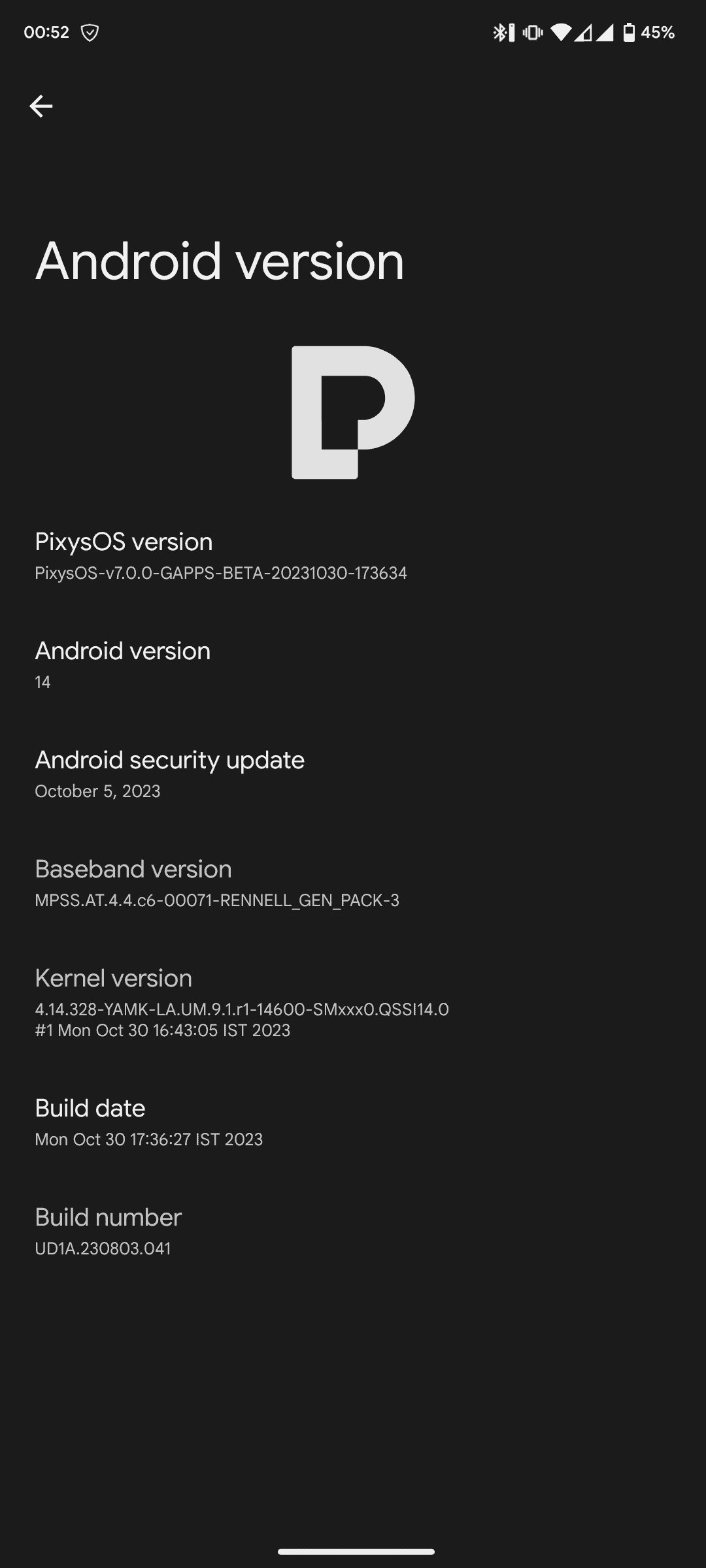
    Moving on to the positives: three years of security updates. Nowadays, this may be the standard for phone support, but back in those days, especially for a midrange smartphone, it was above average. The phone received two major Android updates officially and four MIUI updates (starting with Android 10 and MIUI 11). The latest officially supported Android version is Android 12, running on MIUI 14. Unofficially, this phone even managed to run (bleeping) Android 14 with custom ROMs (check the image below to see me using PixysOS 7.0 Official Beta based on Android 14).


    PixysOS 7 based on Android 14 in Settings - About phone on Redmi Note 9 Pro
    PixysOS 7 based on Android 14 in Settings – About phone on Redmi Note 9 Pro

    Another positive for me is the versatility with ports, including the 3.5mm headphone jack, IR blaster, and USB Type-C. Having transitioned most of my devices away from the microUSB port over the last two and a half years, I have to say, that port has become a nuisance for my old tablet (Meanit X10). The IR blaster has come to my rescue a few times while on vacation, as the original remote was glitchy and couldn’t make some necessary adjustments.

    With all the positives, let’s circle back to some negatives: the battery capacity has dropped to about 65% of its original state. Today, the battery can barely make it through two days with light usage and just a single day with a bit more activity (it managed an entire day of navigation and music playback this summer from a 100% charge after an overnight charge, ending the day with 12% battery).

    Now, onto another positive: the cameras. They’re still performing admirably for a midrange device, even for some random 4K recordings. I’ll say this – GCam and the MIUI Camera both work splendidly for me. I switch between the two depending on what I need from the camera. For night shots, it’s GCam; for everything else, it’s the MIUI Camera, including the Leica mods. Oh, you didn’t know? There are modified versions of the MIUI Camera with Leica options, and those have been fantastic for me especially on AOSP Custom ROM’s which support it.

    You can check out some shots from last review in my Google Photos gallery here.

    In closing, let me just say, thank you Xiaomi Redmi Note 9 Pro for standing strong with me for the past three years. You’re a hero, enduring a few drops, long days of being my GPS and media player in the car, handling various camera tasks, enduring lengthy work calls, and even stepping in for video calls when my webcam wasn’t cooperating. Legends like you will always hold a special place in my life. You convinced me to fully adopt the USB Type-C connector, and the original cable from the phone still works perfectly for charging all my devices.

    Again, thank you Xiaomi Redmi Note 9 Pro for being my hero and daily, your days are almost over. Now it is time for Poco F5 to shine.

    This text has been reviewed by ChatGPT for clarity and grammar.

    All photos included in this review were taken by me using the Xiaomi Redmi Note 9 Pro except cover image which was taken on Realme 6s.

    All external links provided are for educational or informational purposes only and are not endorsements or affiliations with any particular product or service. All affiliate and sponsors links are on Affilates and Sponsors page of this web site.

  • One year later – Review of Xiaomi Mi Band 5

    One year later – Review of Xiaomi Mi Band 5

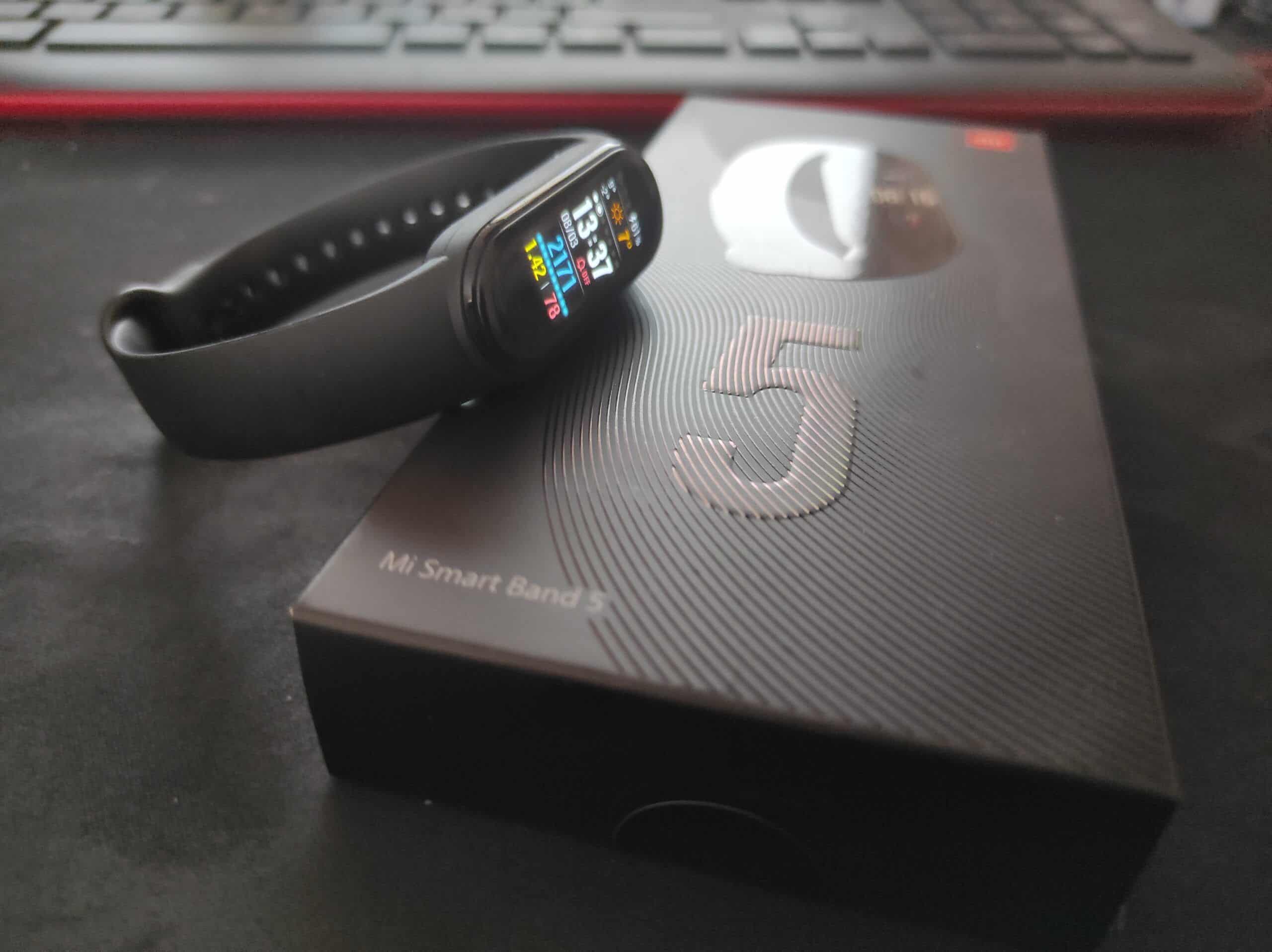
    After using it for a year, it is finally time – time to review my current smart band Xiaomi Mi Band 5.

    Now, you might ask one thing – hey, didn’t you had Xiaomi’s previous version Mi Band 4 and you told there that you didn’t bought it back then because of pricing, what gives now? Good question, might I say so, but here is reason why after about 6 months of using Mi Band 4 I switched to newer version – Mi Band 5.

    Reason to migrate is good package from our mobile provider which gave us Xiaomi’s Redmi 9A in 3GB RAM/32GB ROM version with Xiaomi Mi Band 5 for price of a coffee in coffee shop (about 1.5€, give or take 25 cents to that price because of currency conversion for Croatian Kuna to Euro, for now, until Croatia get into European Monetary Fond in 2023, but for now it is conversion, still).

    As first things go, I need to write some basic specs for Xiaomi Mi Band 5. Those are: stunning 1.1 inch 2.5D AMOLED color display with great color reproduction and brightness even for super bright days at summer at noon while sun in as full blast* (even with 450 nits it is great), 6 axis sensor with improved PPG sensor for heart rate monitoring, 125mAh battery which can survive up to 18 days without charging (even if Xiaomi claims about 14 days of usage, but I can say – 18 days is maximum that is reached) using way improved charging method then old Xiaomi Mi Band 4. Other important things are almost same as Mi Band 4, like all day tracking of hearth rate but with some improvements which now include feature Stress testing and even more Sports Tracking. Detailed specifications could be found on official Xiaomi’s Web Site.

    And how it is to use Xiaomi Mi Band 5 for a year? It is great, and I really mean it. With improved heart rate tracking (pulse to be precise) it is very much helpful, especially for my health tracking.

    Sports tracking is good, it is on par with Mi Band 4. It also needs to be connected to be phone with Zepp Life (ex. Mi Fit) application so it can track GPS while running, walking or biking. As previous version it is also great with water resistance, this model is tested in sea water and it survived long swimming sessions in Adriatic Sea. It tracked few times “50m lanes” decently at timings and it correctly monitored heart rate. With new Mi Band 5 it also have some new sports tracking methods which I don’t use, but also improves on previous version – now it have Indoor Cycling which is useful for us with Stationary Indoor Cycling equipment and for days when there is so cold outside for regular biking.

    Other features include – Stress monitoring, which is, fine I guess as I use it rarely because sometimes it says Mild while I’m not stressed at all; Weather which is linked with my current location and now when I can see it on bands watch-face from cover photo. It is sort-of accurate as it syncs with phones Weather application which collects data from Accuweather every few hours or on manual sync. With that there are some basics like Stopwatch, Timer and Alarms (especially useful when synced with Phone so I can get it to stop whenever phone is on other side of room and bed).

    There are few features which I use almost regularly whenever I need it – Music Playback and option to get track forwards, backwards especially when don’t want to get to Xiaomi Mi True Wireless Earbuds Basic 2 with cold hands to switch songs from YouTube Music or from small collection of songs on microSD card of Xiaomi’s Redmi Note 9 Pro and Remote Shutter which helped few times whenever I had to do some group shots with me in it.

    Other notable feature is Smart Do Not Disturb Mode which is enabled when you go to Sleep or to Power Nap so smartband don’t buzz around with random e-mail, Telegram or WhatsApp notifications from some of bigger groups in which I’m, while still getting notified about calls (that is my setup on phone when turn on Do Not Disturb mode at night).

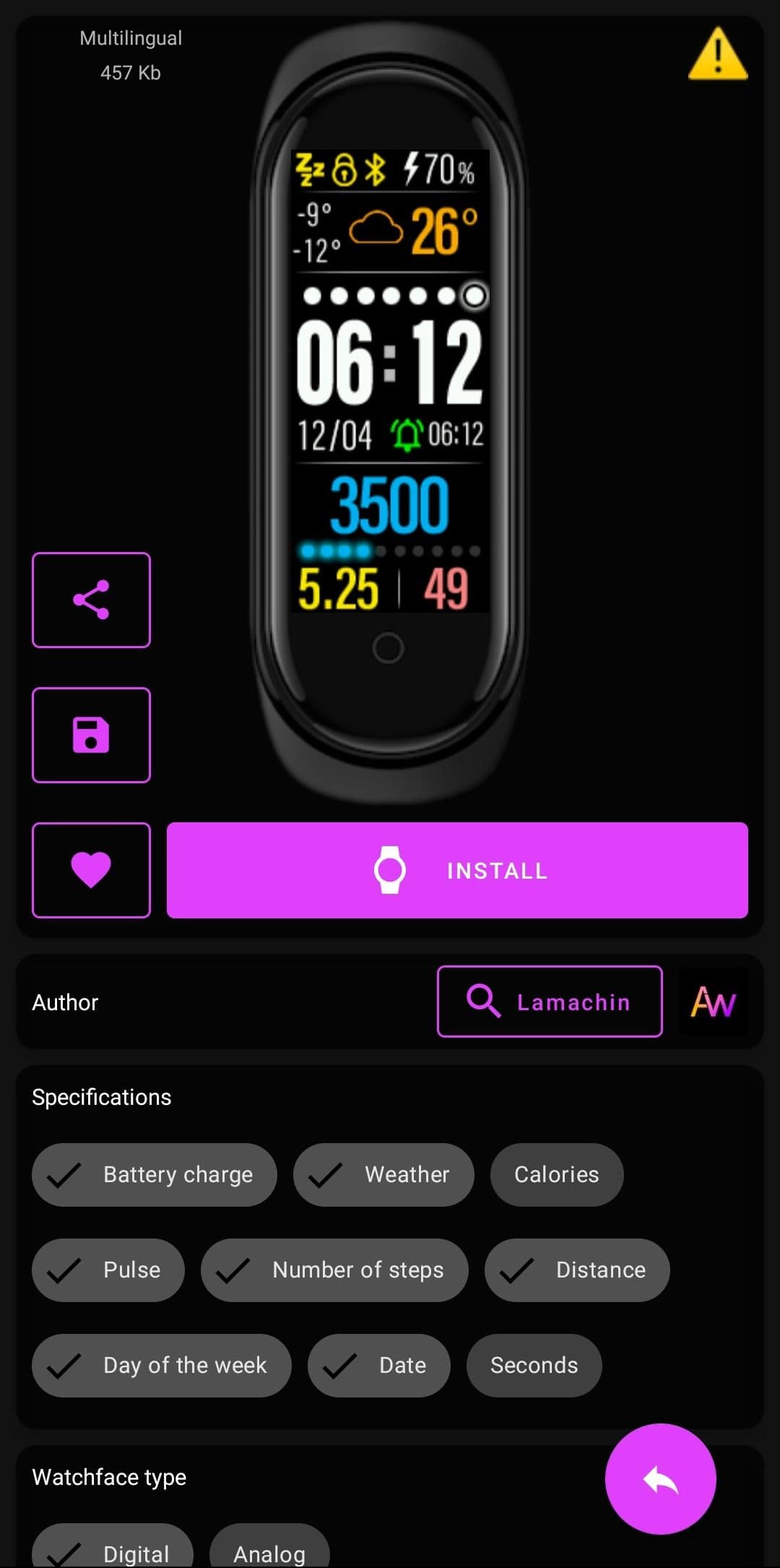
    As for custom watch-faces – there are some in Zepp Life application, and few default ones already on watch but those aren’t my style so I searched trough Mi Band 5 WatchFaces application and found one which is my go-to created by Lamachin, screenshot of it is below.


    My go-to watchface for Mi Band 5
    My go-to watchface for Mi Band 5

    Now to battery life – for my usage it can take up to 14 days of getting up to 100 notifications daily, regular viewing of time, all day hearth rate monitoring, sleep monitoring and walking tracking which is on par with Xiaomi’s claims about battery life. Only time when it survived almost 20 days, but those days I had you know, COVID-19 and didn’t moved lot and didn’t had lot of tracking for sports as I was so exhausted so quickly.

    Here is bonus part before conclusion – there are official and unofficial replacement bands for it. As original one is silicone based it can destroy itself with usage, so that is one good thing, plus interoperability with Mi Band 4 bands, but narrowly as it is bit bigger than it, grip is weird for Mi Band 4 bands. By the matter of fact – 3 pack of official Xiaomi’s Replacement bands costed me about 10€ (again, conversion rates – check note at start) while latest pricing on same one is higher, damn you inflation.

    For conclusion it will be pretty much same to old version – Xiaomi Mi Band 5 is still perfect Smart Sports Tracking Band for somebody who wants affordable and perfectly usable smart band with lot of customizations and great support from manufacturer.


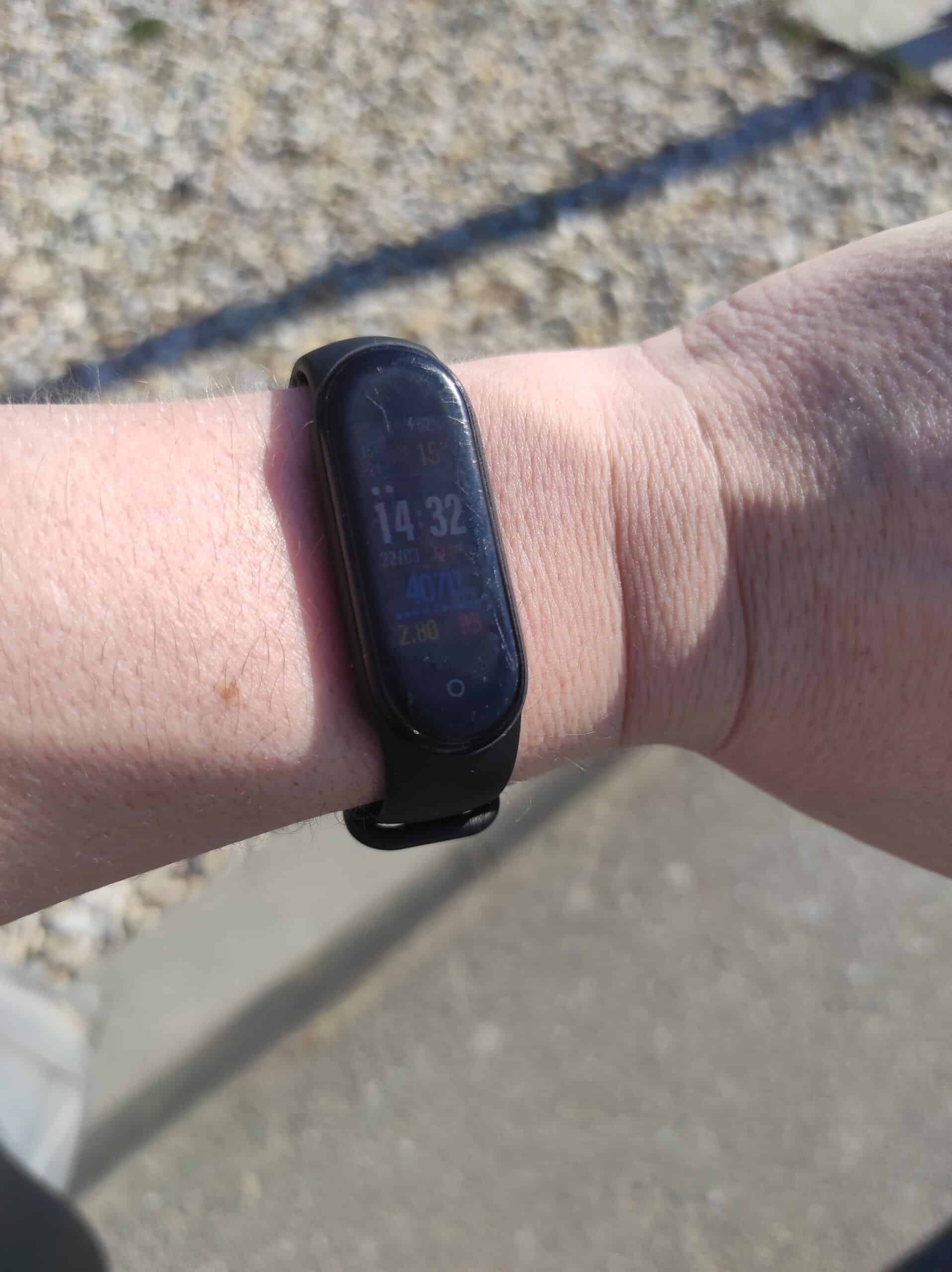
    How it is bright on noon's sun blasting at full, few days back it can be seen in this picture near car as it was perfection of time and weather to show full blast of brightness. And yes, there are scratches on display, it is used all day long for year, so that is normal as I use it without screen protector this time around
    How it is bright on noon’s sun blasting at full, few days back it can be seen in this picture near car as it was perfection of time and weather to show full blast of brightness. And yes, there are scratches on display, it is used all day long for year, so that is normal as I use it without screen protector this time around

    All images are my own, shot on Xiaomi Redmi Note 9 Pro.

    Side-note: you might see lot of mentioning other Xiaomi products that I own and use. Yes, it is true, migrating from mix of products to one “ecosystem” is great, but hey, for me it is perfect as I will keep supporting Xiaomi with new phone in Q4 of this year or Q1 next year when new contract for mobile provider get option to buy new devices, and it might be even Xiaomi 12 Lite (to be relased) or Xiaomi 12X (or something in that range, higher-end mid-range device or lower specifications of flagship). For now my current ecosystem from Xiaomi products include – smartphone(s), power bank(s), True Wireless Earbuds (used Mi True Wireless Earbuds Basic S prior to migrating to Mi True Wireless Earbuds Basic 2 and soon Redmi Buds 3 Lite) and lastly smart bands. There might be some other products like Mi Robot Vacuum Lite but those will be reviewed if I buy them this year.

  • Short, but useful review of Realme 6s

    Short, but useful review of Realme 6s

    So, this will be short and creative review of Realme 6s which was bought from our mobile operator for super cheap.

    Specifications of device can be found on GSMArena. There are few changes which aren’t noted in GSMArena are NFC which works (yeah, it works, tested it with Google Pay and Revolut Visa card and yes, it works fine).

    Just to be clear, this was and still is my secondary device which I mostly use to watch some videos (pirated mostly and YouTube), play games on that smooth 90Hz refresh rate LCD Display and do some thing that I don’t wanna to do on my main Xiaomi Redmi Note 9 Pro like test out new applications.

    As a matter of fact, this device have separate Google Accounts and it is also set up to be used with old Xiaomi Mi Band 4 (and yes, don’t judge me but I’m using Mi Band 5 for few months now and I’m impressed how better detection’s are, but more about all of it later on or in next post.)

    Device Specifications and nit pickings

    So, yeah. I will note some exceptional specifications like 30W Super Dart/VOOC Charging (yeah, Realme is sub-brand of Oppo) and device charges in like a hour. It is powerful and chargers at 15W while connected through Xiaomi’s 33W Power brick.

    Another nitpicking is that phone is sometimes bit sluggish with 4GB of RAM. That is from guy who use multiple devices and main one is Xiaomi with 6GB is RAM. And yeah, sometimes it looks faster then Xiaomi because of 90Hz LCD.

    Cameras

    Now for part which was tested a lot but lot of photos are private ones. Some examples can be found on Gallery. With main 48Mpx camera I can say that shots are fine. I mean, after 8 months of using crazy camera systems from main phone this was a well, bit of letdown.

    Front facing camera is just fine, seriously my face looks horribly 😂. Examples are in Gallery.

    Video examples unfortienatly didn’t created, or if it were created those are private ones.

    On plus side, there is port of GCam, but it is created with config for Realme 6, not 6s (which have different camera systems, more differences about phones can be found on GSMArena.

    Battery and Conclusion

    As for battery life of this 4300mAh battery, I can say few words – it can survive my usage. Seriously, even when I put my main SIM Card in phone for a week with 4G, GPS, NFC, WiFi and brightness all way with Auto (as I was mostly outside or in early morning going to Driving School Lessons) it survived day and half mostly. I say mostly, as there was few days when battery did take me one day to melt it down to 10% from 100%. Other days battery can survive 2 or more days with SIM card in it and without 4G enabled but with lot of YouTube shenanigans. This means that battery can get in 6+ hours of Screen on Time, which is perfect.

    In conclusion: device is fine, I mean, updates are sort-of regular (as of writing this device is still on Android 10 but with April 2021 patch) and it should be great second device. Or maybe somebody from who device break will get it, who knows what future do for it.

    Cover image is shot on Xiaomi Redmi Note 9 Pro, this review was written on old tablet, current desktop and this device. All images and videos are from Realme 6s.

    Revolut link is my affiliate link which supports my works.

  • Power User with Sports Tracking Bracelet – Xiaomi Mi Band 4 Review

    Power User with Sports Tracking Bracelet – Xiaomi Mi Band 4 Review

    So, this is my personal review of Xiaomi Mi Band 4 as someone who previously used clone of it (Chinese copy, something like this M4 Smart Band) and Smart Watch (to be precise Forever SW-100 which was premium looking but with custom firmware on it).

    Now, one and two months of usage later I will provide my experience with Xiaomi’s Mi Band 4 which I got for a fair pricing at August of 2020. To be precise, pricing was about 33 Euros at day of purchase (conversion from Croatian Kuna’s to Euros so there might be conversion mismatch because I used information for conversion from European Central Bank on 4. October 2020. to see what was conversion ratio on day of purchase).

    Why I chose Xiaomi Mi Band 4 over Xiaomi Mi Band 5 which was available to purchase? It is simple – pricing. Mi Band 4 was cheaper and also it was for my usage perfect Sports Tracker and Smart Bracelet.

    For a quick rundown of specifications I will mention few things – 0.95 inches AMOLED display with 24bit color depth and max of 400 nits of brightness, 5 ATM Water Resistance Rating, 3-axis gyroscope and accelerometer, Bluetooth 5.0 connectivity with backwards versions of Bluetooth support and finally – capacitive 2.5D tempered glass for display to be useful. More detailed specifications can be found on Official Xiaomi Site or on GSMArena.

    How it is to use Xiaomi Mi Band 4 for a two months. To put it simply, it is easy to use, I don’t mind to have it all day long on arm. It isn’t obtrusive as previous Smart Watch that I had and also it is way lighter than it. In comparison to Chinese Clone of it – it is way more responsive and it is in my honest opinion way better in battery department.

    As I’m mostly using it to track my walking and heart rate (plus sometimes I might track sport activities like Outdoor Biking or Running/Jogging) it can do all things that I put to it. As mentioned I’m using it primarily as my pedometer and heart rate monitor with enabled features like Sleep Monitoring.


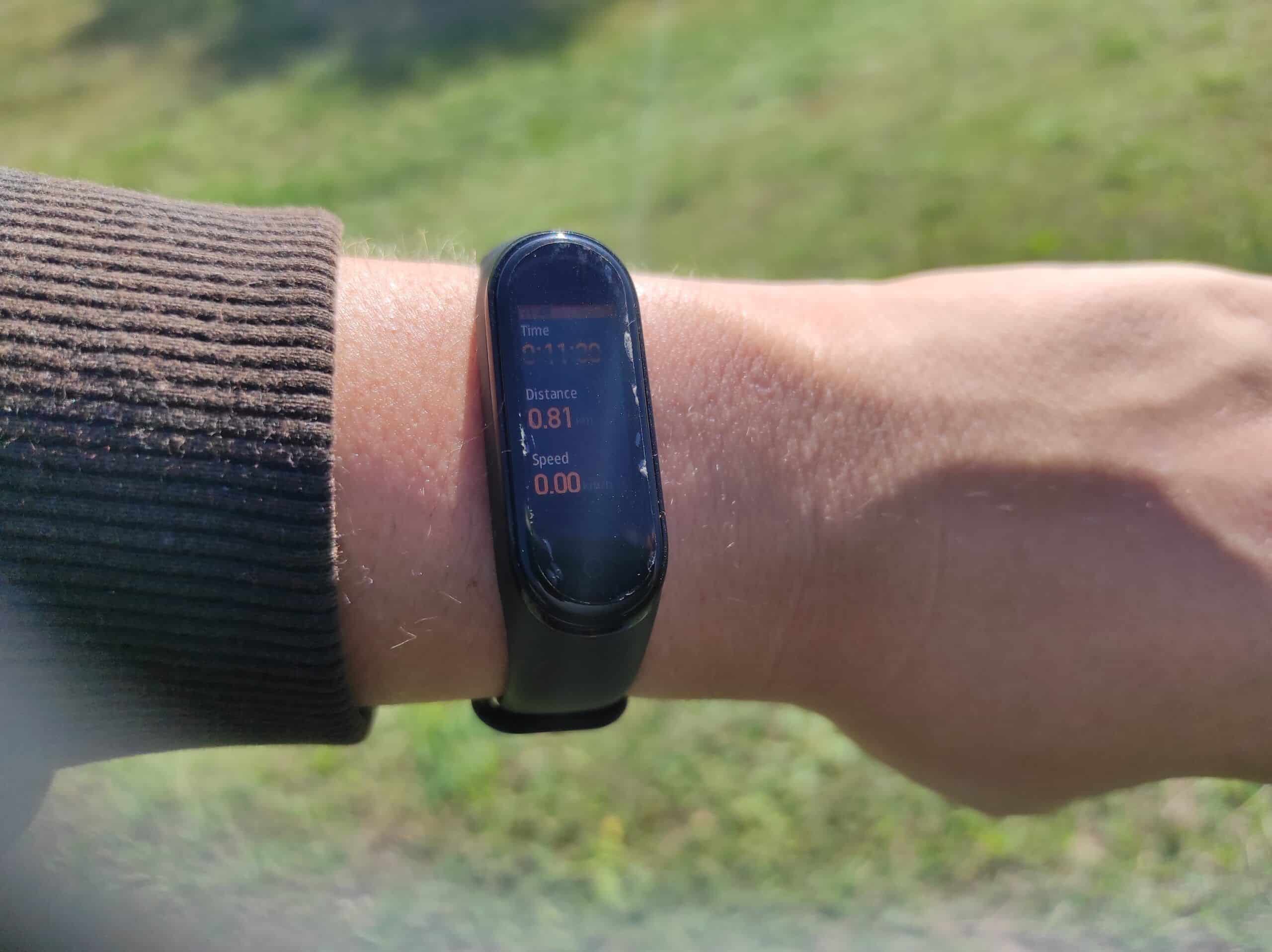
    Shot of Xiaomi Mi Band 4 few days ago while slow walking session in neighborhood at noon sun
    Shot of Xiaomi Mi Band 4 few days ago while slow walking session in neighborhood at noon sun

    For sports monitoring it needs to be connected with phone and Mi Fit application. It is important to connect phone and Xiaomi Mi Band 4 trough Mi Fit as it uses them to get GPS data for walking, running or cycling distance and to be more precise with them. In General Training option in Workouts it tracks how long are you doing exercises and tracks heart rate with heart rate monitor. There is also Swimming tracking, but as I bought it bit late I couldn’t test this feature, but I can say that water resistance is perfect.

    As for non sports features it have Weather connection trough Mi Fit application, Notification support for multiple of applications but without option to reply on them and some features which might be useful like Alarms directly on watch. Yup, I use that feature a lot, especially with regular Alarms on phone (needs to be activated trough Mi Fit) so it can wake me up when phone is on desk and I’m still in bed few meters away from phone. I can dismiss Alarms or get to to Snooze from Smart Band which helped me few times when I forgot to turn of daily alarm at 5:55 AM on weekend.

    Other notable features are Smart Do Not Disturb Mode which is enabled when you go to Sleep or to Power Nap (which is useful not to vibrate with notifications when you just want a quick nap after hard working day).

    There are also features like Music Playback controls (which I didn’t used as I’m mostly playing music using YouTube Music application), Stopwatch with Timer, Find device and Silent Mode.

    Now, as it is Xiaomi’s product it is customizable with Watch Faces. You can create yourself one or just find one you like. In Mi Fit application there are few of them, but you can find more on Internet or just use application Mi Band 4 Watch faces from Google Play Store (there are more applications for that, but I found this one to be perfect in my opinion as it have lot of watch faces to choose with different styles and language compatibility.

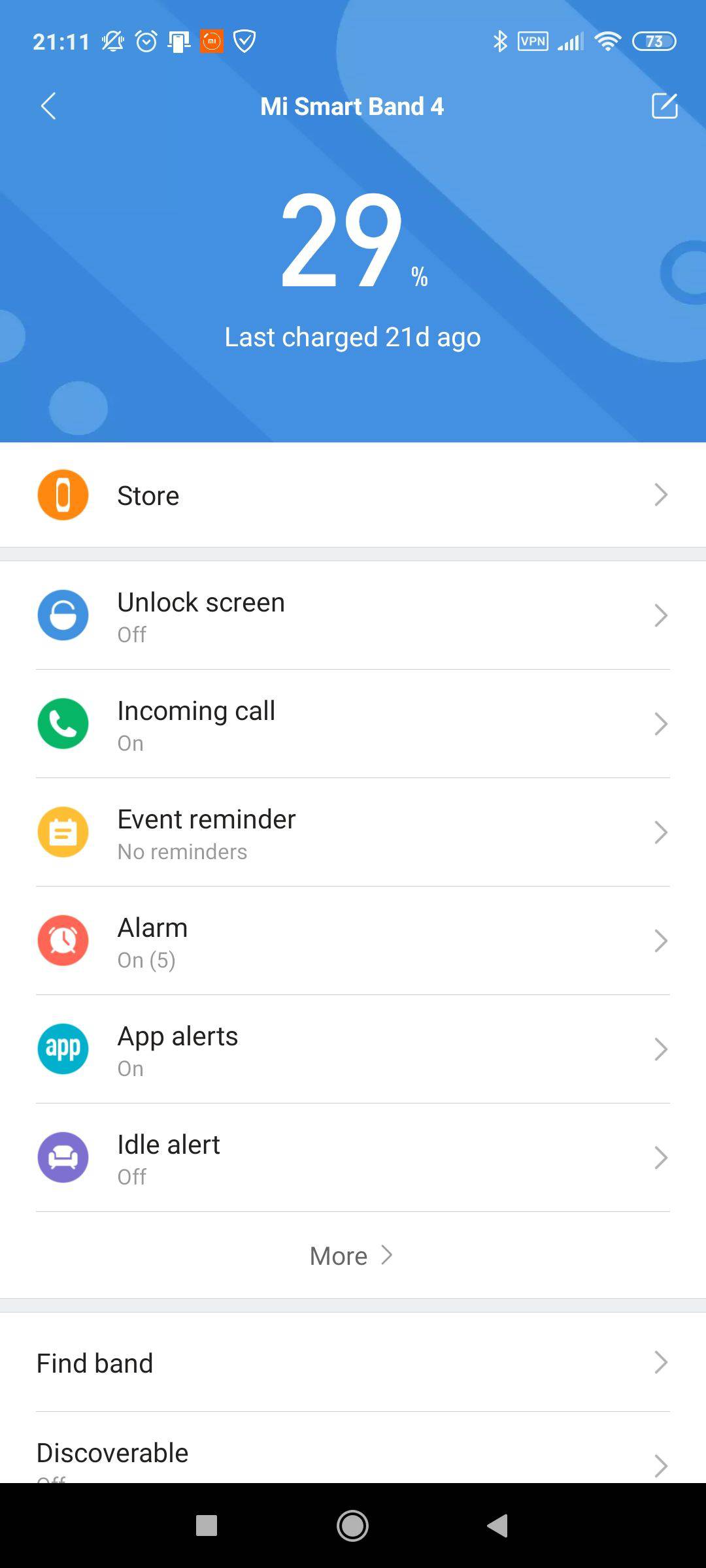
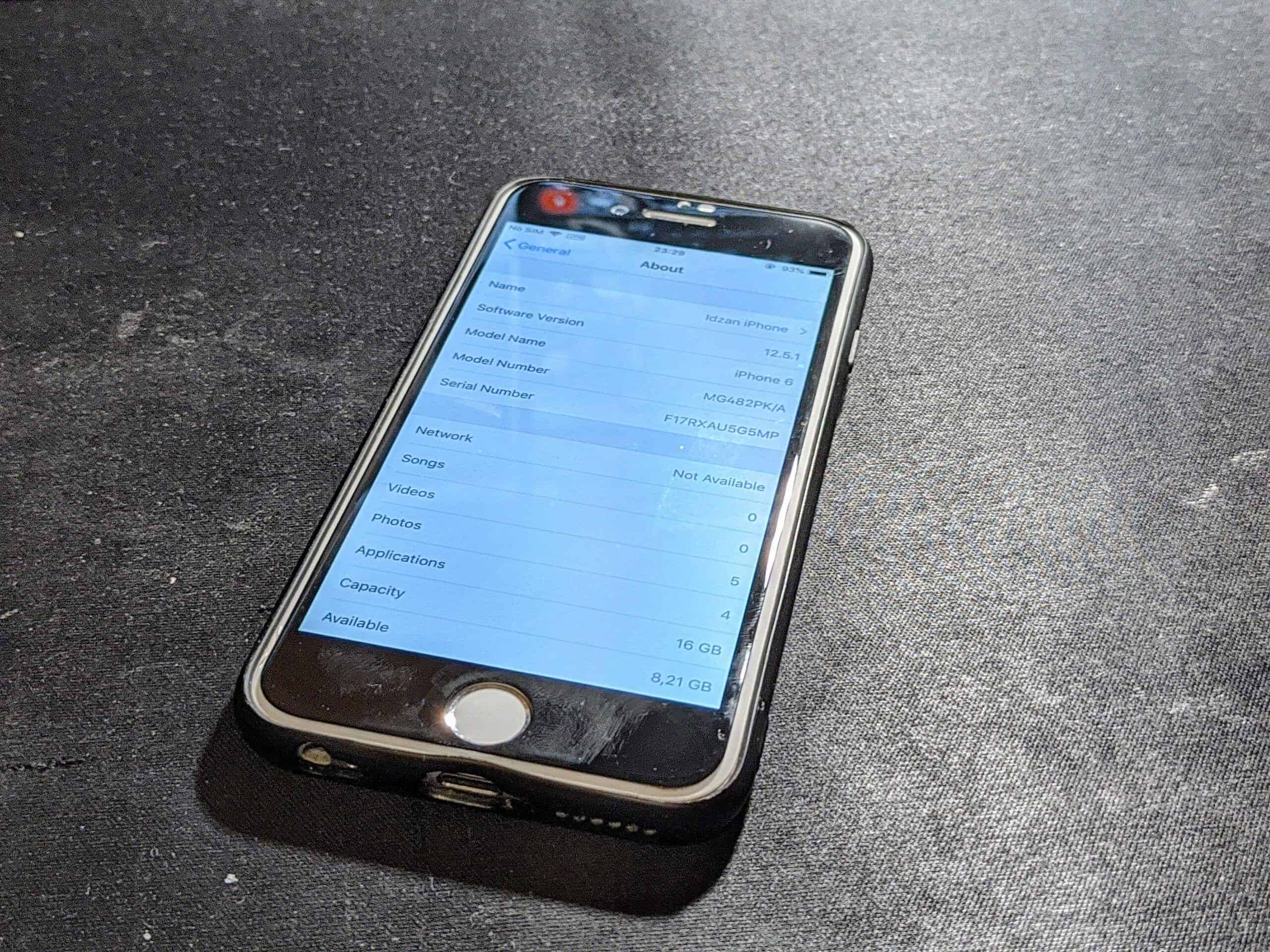
    In final topic let’s talk about battery life. What I can say is – it can take about 25 days (give or take few days depending of usage) from charge to charge. This is my average, and this average is higher then official rating of 20 days of usage. And yes, that average is from 2 mobile phones that it was connected in a first week – temporary iPhone 6 and my current device Xiaomi Redmi Note 9 Pro.


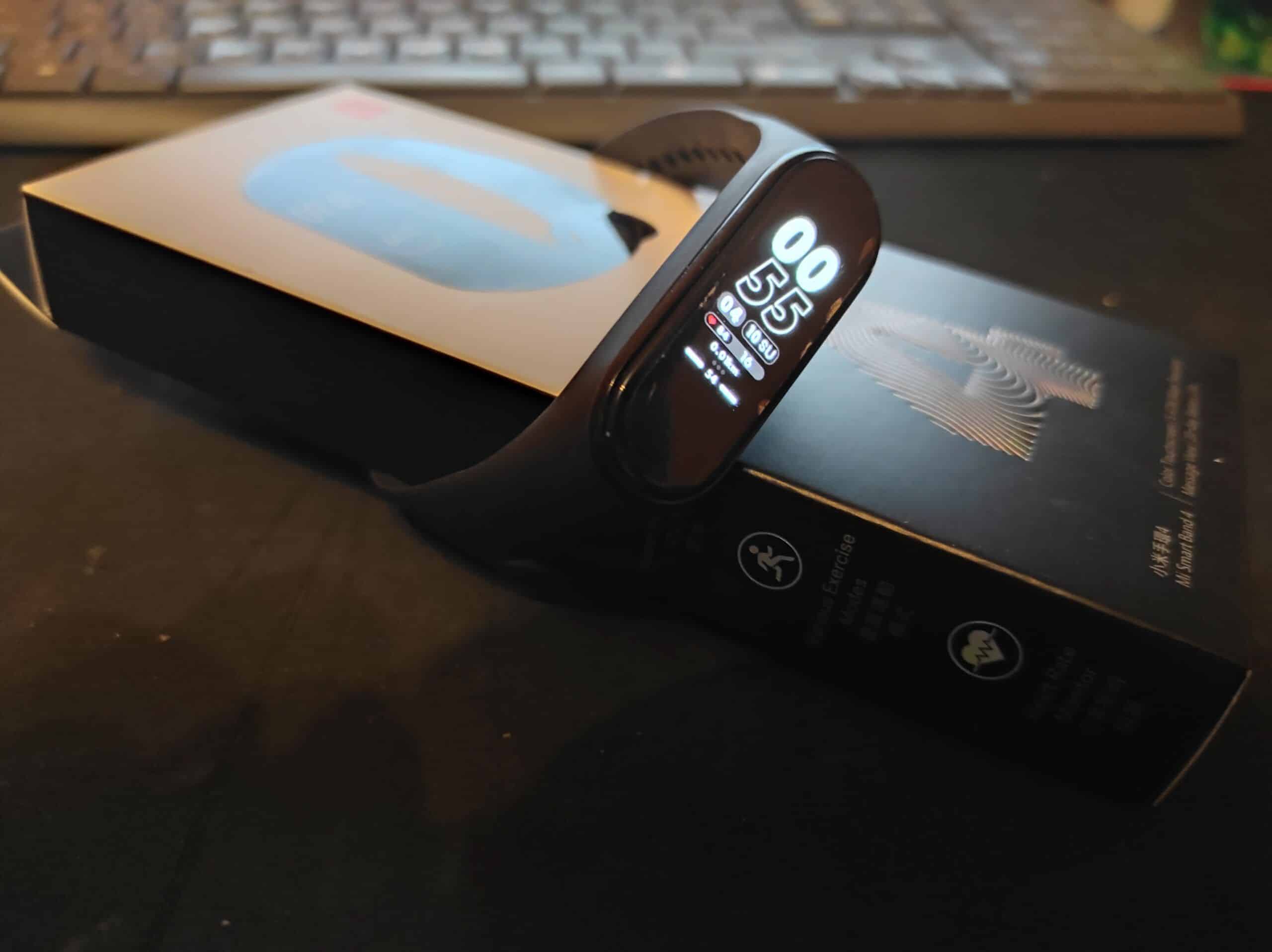
    Xiaomi Mi Band 4 Battery levels after second charging of it
    Xiaomi Mi Band 4 Battery levels after second charging of it
    As for additional bands or protectors for screen – it have bunch of options on various sites like Aliexpress, Gearbest, eBay and others like them. For instance I bought 3 pack of screen protectors and they helped out on few occasions where I was working around metals and it saved me lot of money from scratching device. Now I’m on second protector as first one got scratched to be unusable one day while working around house for preparing wooden planks to be painted later on.

    In conclusion – Xiaomi Mi Band 4 is still perfect Smart Sports Tracking Band for somebody who wants affordable and perfectly usable smart band with lot of customizability and great support from manufacturer.

    All images shot for this review are my personal shots created with Xiaomi Redmi Note 9 Pro.

  • Android user experience of using iOS for a month

    Android user experience of using iOS for a month

    Or as another title would be – from broken Android phone to iOS without any other choice.

    This unwanted migration started while on second day of vacation when I accidentally broke my Samsung Galaxy A7 (2018) which I was using at that time. Phone broke that even service center wouldn’t service it without paying almost 150€ for display replacement. And what was weird coincidence phone broke on Sunday, which really fucked me up for a about 30 hours until I got Apple iPhone 6. Thank God that I used prior to breaking device 4G and Hotspot feature were enabled to get 2 files on friends laptop from his Google Drive which helped me to connect on my laptop and get to search phone for 100€ or less (used devices market was TBH 💩 at that time and near place I was plus almost everybody wanted way more then phones are worth).

    I got that iPhone 6 with original packaging, unused EarPods, original cable (which I had to replace with some off-brand braided cable as soon as I got home because it was bit broken which annoyed me), some case and screen protector (that 2 items got for free because I said to guy, I can pay you 500 Croatian Kuna for device if you can get it to me and he got to me and gave me new case and new screen protector as gift as I paid what he wanted).

    On day that I got device, most of time using it was spent on installing apps and configuring them (at least some basic apps like WhatsApp, Facebook, Instagram and banking applications). Thank God all apps that I use on daily basis were available on App Store.

    During initial setup phone was still on iOS 11, but few days later and few gigabytes of mobile network later (because WiFi reception at another location where as family got to stay was really bad on all devices) it was updated to iOS 12.4.8 which is latest available version of iOS for this device.

    Let’s talk about experience switching from Android 10 with OneUI 2.0 to iPhone 6 and iOS 12.4.8 – it was sort-of seamless. I mean, I have been using iPhone’s prior to this as work phones but only for brief periods of time (mostly weekends and once for a week while our Galaxy Note 8 got to Service Center). I missed few great features like Dark Mode and Android Back button, but not a big deal.

    Now, let’s talk big fish in this sea – connectivity. It is fine for 4G (LTE), but for WiFi and Bluetooth is was horrendous. I mean seriously, with other phones I can get WiFi from my room where is router up to living room which is about 9m away with 2 walls between, but with iPhone I would need to use 4G just to get network in living room. Plus, even if I connected to sister’s AP (created as repeater for his room to have better network coverage) WiFi was horrible.

    For a Bluetooth – well I had to be with receiver on (now old) SBox BT218 headset in visible positioning to iPhone otherwise it would be song – stop for a second (connection drop) – song for minute – move a bit to left with receiver and losing connection for a few seconds until I gave up and connected EarPods.

    Otherwise stability of device was good, specs are perfect for this good old device.

    Battery life wasn’t perfect but it was usable with Power Bank and cable near me at all times as device could survive about 7-8 hours with 1 to 2 hours of SoT with bit of 4G, photo shooting and regular calls. On plus side, still have original battery inside with 70% of Battery Life left in it.

    In that week I shot almost 500 photos and got few videos too in 1080p 60FPS (which I enabled as soon as I got device, that was switch in smoothness from 1080p 30FPS that I used on Samsung).

    Now, camera is just fine for normal shots in good lightning, I can’t say anything bad about it. But at night and darker situations it is, well, bit of dog 💩. Seriously, I had to edit photos later just to gain some brightness and ISO so photos can be shared to others from vacation.

    Some examples of shots can be found in Gallery with few Videos in it.
    (mix of daily shots and night shots).

    Now here is conclusion in two parts – how it was to get back on Android and in part two I will say for what is now this device used.

    Main conclusion is – this device served me well until I got Xiaomi Redmi Note 9 Pro. Device despite age of it is still capable to be working phone for somebody who is careful with battery or replaced it. After switching back to Android I don’t miss any feature from iPhone to be honest.

    And now, for what is now used after switching to Android phone back – it is used as music player and YouTube player prior sleeping. Yup, because of size it is perfect for those things at night.

    Cover image is shot on Xiaomi Redmi Note 9 Pro, this review was written on iPhone 6 and all other photos and videos are from iPhone 6 and are my work.

    Updated as of March 19th 2023 as test YouTube videos are removed from my now old YouTube channel and will be uploaded later on new channel.

    Updated as of January 1st 2026 with new Gallery link with photos and some videos.

  • Month of usage for Xiaomi Redmi Note 9 Pro (better known as Review of phone)

    Month of usage for Xiaomi Redmi Note 9 Pro (better known as Review of phone)

    So, let’s premise this review with one important thing – I’m writing this review from this phone which I’m reviewing. Yes, I love it so much that I wrote it in Notes application and later on copied in Google Docs so it can be synced with PC from which it is published. What a perfect combination for writing review for Xiaomi Redmi Note 9 Pro.

    Now, why I bought this device and how it is to use it. Reason that I bought it for around 210€ (approximation of price from Croatian Kuna) in August of this year is that I had to move back to Android after a month with iOS (to be precise iPhone 6 running iOS 12.4.5). Plus I moved to iOS just because that was only option to buy when my Samsung Galaxy A7 (2018) got broken while on vacation on Krapanj Island.

    Here is a thing – I wanted to move from Samsung to Xiaomi right about this time because pricing of solid mid-range Samsung phones went nuts. But really nuts. For example on day when I bought my phone cheapest and really next stepping stone with solid phone was Samsung Galaxy A51 which was priced about 350€ (approximation from Croatian Kuna).

    Battery and Specifications of Xiaomi Redmi Note 9 Pro

    For my budget (which was around 300€ at that time) this is perfect device. For starters, with specifications it is great for higher end of mid-range devices. For me it is higher end because it is having Gorilla Glass 5 on front and back and because of Camera Specifications. Basics for Xiaomi Redmi Note 9 Pro are Snapdragon Qualcomm 720G which is based on 8nm process, 6GB of RAM, 64 or 128GB of storage which is expandable via microSD cards, 64MP + 8MP + 5MP +2MP Cameras on back with 16MP Camera in punch-hole design on 6.67 inch 2400 by 1080px LCD. More details about specifications can be found on GSMArena. As you might see, this is Global version of phone, just to note because there is same name for this phone for Indian market (and Indian model is for other parts of world known as Xiaomi Redmi Note 9S.

    Some things that got me to this phone and not Xiaomi Mi Note 10 Lite which I could get in my budget are fingerprint reader in power button and expandable storage via microSD card.

    Now to review – Xiaomi Redmi Note 9 Pro is great device as you might not see until now. As I’m mostly mid to heavy duty user it can keep it up with my usage.

    In start I have to note big battery – 5020mAh. This is major improvement in my phone collection. The biggest battery with Turbo Charging. Yes, charging. In box we got 33W Power Brick with USB-PD and Quick Charge Compatibility. This brick with original USB-C to USB-A cable can charge device in about hour. Seriously, once I got around 18% of battery charge in morning and I had to go to daily biking and after about hour it got charged to 100%.

    As I’m talking about battery and charging – this brick of battery can survive in average for 2 and half days with full charge on my even heavier usage with average of 7+ hours of Screen on Time (SoT). My usage is WiFi, 4G (only when I’m not near WiFi), Bluetooth (for connection to Xiaomi Mi Band 4, Xiaomi Mi True Wireless Earbuds Basic S and computer when near it), GPS (for sports tracking in Mi Fit and Google Fit) and finally NFC (as most of payments trough COVID-19 is with NFC and Google Pay connected to multiple cards).

    As for other specifications, well I have nothing special to say. I’m experienced with mid-range specifications of phones, this Xiaomi Redmi Note 9 Pro is snappy in day to day usage. Even for lighter gaming (tried with Call of Duty Mobile for few hours) it is all fine. Screen brightness isn’t like Sasmung Galaxy A7 (2018) which was rocking AMOLED display, but is readable even on bright sunny day.

    Camera tests and shots from Xiaomi Redmi Note 9 Pro

    Now to major part of this phone and why I got it – cameras. Yes, I use phone cameras for almost all of my photos which are published online and which will be seen in Photography and Graphics Portfolio (when I finish design for it). Main camera is 64MP with f1.9 which is bit “worse” then previous camera on Samsung phone, but for me it isn’t big change. Camera shots from main camera sensor and make it 16MP in final form just to make file size smaller. And sensor is really great.

    There is also 64MP mode which create big chungus of photos.

    For night mode which is available in Camera application photos are solid. Most of them are shot from hand without any stand or tripod. Also for this phone is available Google Camera (GCam) mod which enables Astrophotography Mode. Those Astrophotography Mode shots are looking like it is mostly daylight and not freaking night.

    Ultra-wide camera can create pretty much great shots just like old Samsung phone.

    Macro camera is also fine, it can keep it up with details on nearby objects.

    As for selfie camera, well I can say that is perfect in my honest opinion (as I can say myself 🤣).

    All shots can be viewed in Gallery with all details as I backup all images at Original Quality.

    Video quality is solid for a phone with this price. I can say that videos are better then on old device. In 4K recording mode it doesn’t have EIS, but in 1080p modes (30 and 60FPS are here) it is having EIS. There is no OIS, but EIS is just fine. Down below are few examples of 4K 30FPS, 1080p 60FPS and 1080p 30 FPS Shots created in this month of using it.

    In conclusion of this brief review of phone which I’m using for a month now I can say few things and those are – man, I freaking love Xiaomi eco-system. Especially for somebody who prior to buying this phone had Xiaomi Powerbank 2C in 20000mAh Capacity and Xiaomi Mi Band 4 (prior to buying it I had some cheap clone of it which broke in less then a month of usage and battery was 💩). With this I will keep it up with Xiaomi devices in future which might get to me Xiaomi flagship phones in Mi Series, not like today in Redmi mid-range based phones. As big plus, I’m currently moving whole family to Xiaomi phones from their Samsung’s and Cubot’s.

    All photos and videos are my property, and all (except cover image which is shot with iPhone 6) are created with Xiaomi Redmi Note 9 Pro within this month of usage. All images are hosted on Imgur and Google Photos as they are too much for this server.

    Updated as of March 19th 2023 as test YouTube videos are removed from my now old YouTube channel and will be uploaded later on new channel. Update as of January 1st 2026 – link to YouTube is removed, new Gallery updated. Updated as of 18th March 2023 as I removed old link to 64MPx Gallery URL as all images are in one Gallery URL from Proton Services.

  • Samsung Galaxy A7 (2018) – Long-Term Review

    Samsung Galaxy A7 (2018) – Long-Term Review

    So, in short for people who don’t want to read this post – phone is perfect mid-range device, cameras are great in daily shooting situations and in night based times shots are fine. Battery can support it for 2 days with mid to heavy usage patterns. Plus it is pretty much supported device which will get Android 10 with One UI 2.0.

    OK, after TL;DR section let’s go to why I chose this device and how it is to use it for a almost a year with various patterns of usage. I used it pretty much heavy in start, lowered usage while on vacation and lately it is on mid usage.

    Why I chose this device is one question – I decided to get it because our ISP and Mobile Operator here in Croatia in store where we went didn’t had Samsung Galaxy A50 or Nokia 6.1 Plus in Stock when we decided to move from another ISP to them. That was a bit, well, weird but yet – it was smaller store and that was fine for me. We head to buy 2 devices because we moved 2 phone numbers from another Mobile Operator to this one.

    After few days of super heavy usage which included WiFi, Mobile Data, Dark Mode and Bluetooth on all time I saw that phone can survive for almost 2 full work days. That was nice. Later on while in lower time of usage phone survived for almost 3.5 days and then I disabled Bluetooth which I now use only when I want to connect to my Bluetooth Headset (Not so popular brand but it was cheap as f***). Nice one for 3300mAh Battery.

    For specs of device I will provide it from GSMArena because device have various combinations of RAM and Storage. Our devices are 4GB RAM and 64GB of Storage version.

    Screen is perfect size for my hands. It is perfect size, but well, I tried lately before this “human malware” some newer Samsung Devices from Operators Big Store and those are too big for my hands (note: those devices were Samsung Galaxy S20, Samsung Galaxy S20 Ultra, Samsung Galaxy Z Flip and Samsung Galaxy Fold).

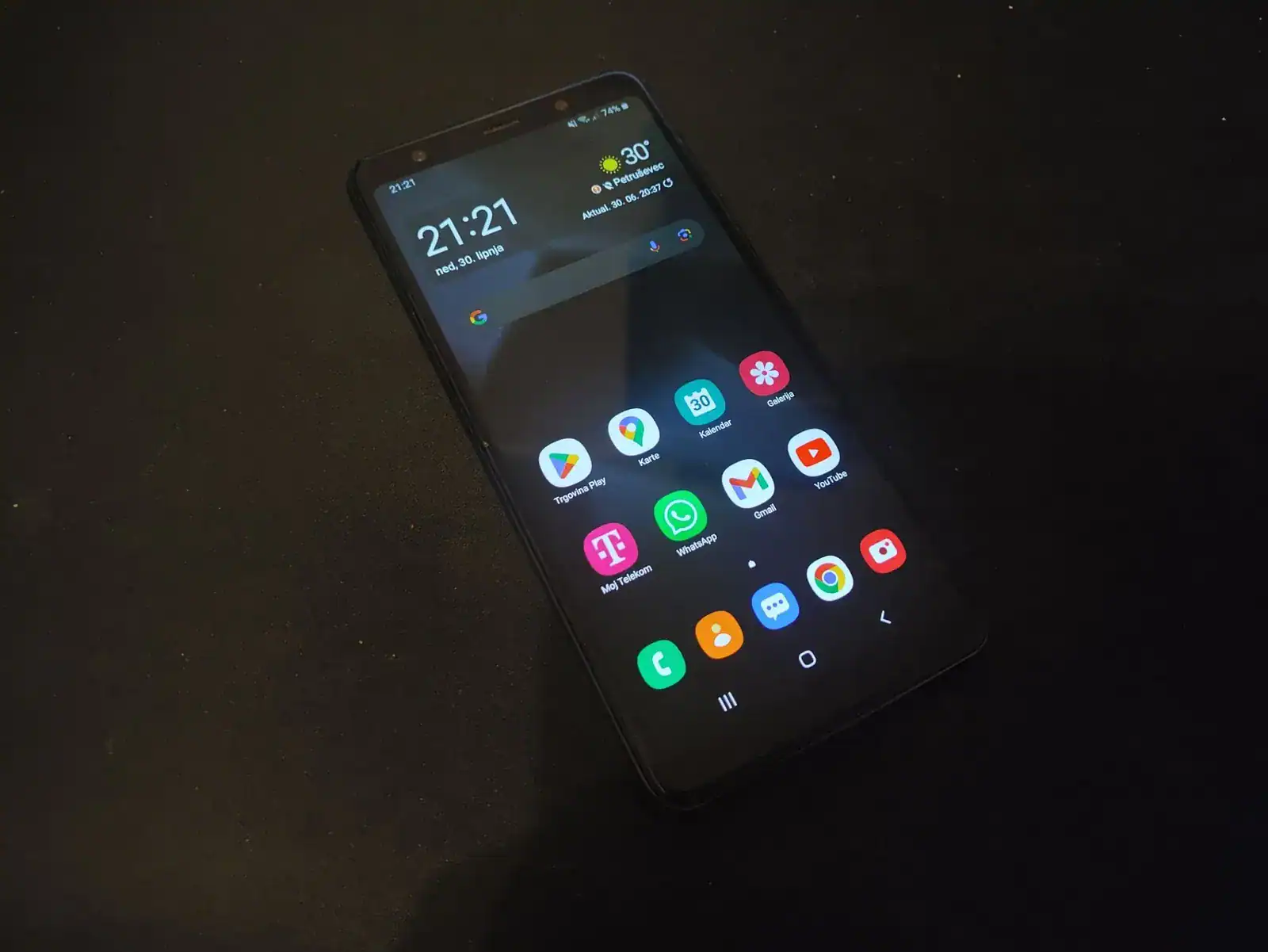
    Software is perfect, well, for me it is way better then Stock Android with some features like included Screen Recorder, scrolling Screenshot, double security with Knox etc. It is pretty much almost latest version of Android. Now it is on Android 9.0 with Samsung’s OneUI 1.0 with Security Patch for February of 2020. Yup, this device is pretty much up-to-date with Security Patches and with features which are perfect for daily usage I can’t explain anything else. Except that this device will get Android 10 with OneUI 2.0 later in 2020. ( April 2020. is time to get released in Europe), after old flagships get it. That would be great for user who used phones with max 2 update cycles and only got one (khm Huawei and Samsung in old days).

    Now, it is big time – Cameras time. How are they in my usage?

    Answer to question above is – perfect. I mean, really perfect. Only thing missing for me it is granular Pro Mode which had only Huawei P9 Lite (2016) but otherwise camera is great. Some shots are below in this gallery where all photos are uncompressed. For detailed informations about Photos check them out on updated Gallery .

    As for video Quality I will refer to couple of videos linked below. All are in various forms which camera supports like Regular Mode, Time lapse mode and finally in Wide Angle camera mode.

    As a conclusion I will say that this device is perfect for me, it will survive one more year of my usage and finally – it will be replaced with another mid-range device next year from A Series or maybe older flagship (hint: Galaxy S20).

    Photos and videos in this review are my property.

    Updated as of March 19th 2023 as test YouTube videos are removed from my now old YouTube channel and will be uploaded later on new channel and updated again on 1st January 2026 with new Gallery link which might include some videos.

    Updated as of June 2024 with updated cover image, shot on Poco F5.

  • Using Huawei P9 Lite for a year

    Using Huawei P9 Lite for a year

    Or as I would write this alternative title: Long term review of Huawei P9 Lite with 3GB of RAM.

    So, here it is. A review of my daily smartphone after almost one year of using it. In that year I had used other phones trough work devices like Samsung Galaxy S8, Samsung Galaxy A5 (2017) and even Samsung Galaxy Note 8. Also I got it to service center once (more on that later) and got new one (again more later). Today is right one year and one month of using phone so it is perfect timing for a long term review.

    To start I have to write some specs, but I actually don’t need because of fantastic web site named GSMArena.com where you can find specifications of this phone. But for some important notes I had to say that my device is Dual SIM version with 3GB of RAM, better known with Model number VNS-L31.

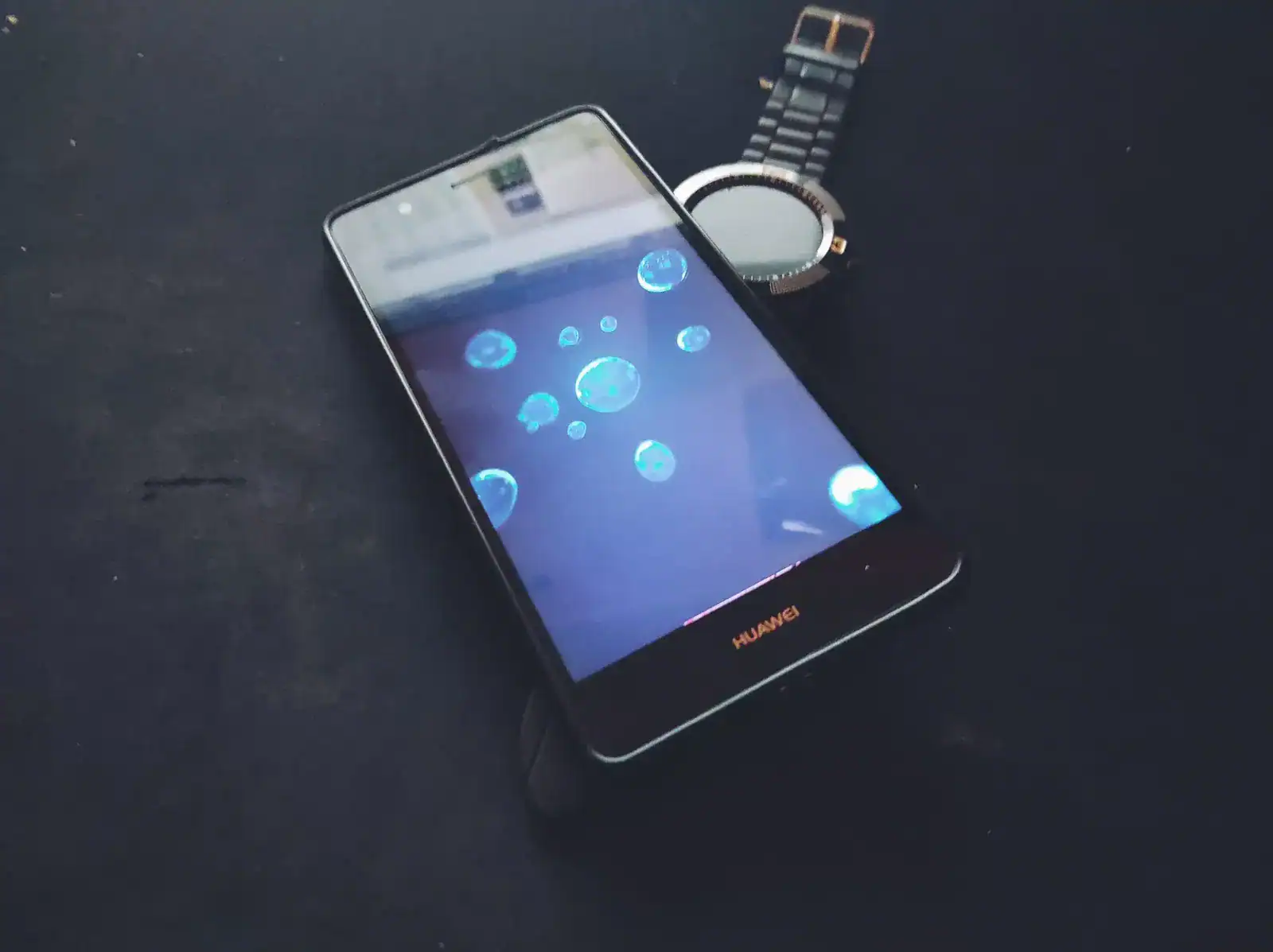
    Here it is in daily usage – it is snappy as it can be. EMUI 5.0.1 on based Android 7.0 Nougat is good with this hardware. I didn’t got any major hiccups or problems in this year of using this phone. OK, I had some minor hiccups and random reboots from time to time, mostly when I don’t reboot phone for more then a month or after updates. Yes, this phone still receives updates most of updates are Security Patches by Google for Android. Latest update got us May 1st 2018 Security Patch with some Huawei specific updates to their software.

    Now, let’s get to some important stuff – how battery survived a year. For my usage I can say superb. It can still get 2 days of moderate usage with about 4 hours of Screen on Time (SoT) with all important stuff turned on like WiFi, Mobile Data, GPS and lately Bluetooth. Bluetooth connection is used for connecting my lovely smartwatch and Wireless Headphones (Started switching more and more to them for music listening while running). If I don’t use any connection what so ever (which happens from time to time) it can survive up to 4 days. Keep in mind that happens rarely but I can tell that battery can survive weekend without charging it.

    To the screen, and well, what to say about it. It is OK, not super bright and not so dim as I would like it (looking at you Samsung Galaxy Note 8 just in front of me).

    Camera, oh boy camera is beautiful. Even tough it doesn’t have all bells and whistles of larger and hardware better Huawei P9 like Leica branded Camera lenses it can make pretty much good shots. With solidly implemented HDR and Professional (Manual) Mode it can make some good looking scenes even better. For instance, here is shot made without Manual Mode tweaks:

    Open image on Flickr

    And here it is with Manual Mode:

    Open image on Flickr

    As you all might see in distance, sky is blue which is better shown in image below with Manual Mode. Also clouds aren’t so grey they are as shown in second image. This can happen when you actually have time to make tweaks. For quick shots this phone is good.

    For videos I can say that 1080p with EIS is great, even for night based shots with only one lamp turned on.

    Physical hardware of device can survive drops and falls from few heights. It have some minor scratches and some screen issues (like dead pixels, but actually it happened while phone got dropped to floor with Tempered Glass Screen protector from height of about 1.5 meters. Touch is working fine, but screen now have some bleed under display).

    Now to some bad things that can happen so device get to Service Center. First problem was with some update in early Android 6.0 Marshmallow to Android 7.0 Nougat days. After update phone got to service center because of boot loop which I couldn’t fix. Another time when phone got to service center, well then I made problem. Actually I hard bricked device with testing unlocking boot loader and installing latest update. With that problem I got one good guy in Service Center which fixed phone to me with “refurbishing” it (he actually got me new phone with Warranty help, I’m still thanking him for getting me a new device).

    Overall, device is great mid range based device with almost latest Android OS. If I was better thinking almost year ago I would go to Samsung Galaxy A5 (2017), but still after Doogee phone it was improvement. For my next phone I think keeping up with Huawei, but after some not so good news for Developers Community I think that my next phone is some Samsung device or maybe Nokia phone, but until then I can wait.

    Photos and videos in this review are my property.

    Updated as of March 19th 2023 as test YouTube videos are removed from my now old YouTube channel and will be uploaded later on new channel.